Intermittent Fasting Timer for iPhone
ArcFast is an intermittent fasting timer for iPhone. Start a fast, watch the time remaining and your current fasting phase, and keep a private history of your windows and streaks — with no ads and no account required.
What is an intermittent fasting timer?
An intermittent fasting timer tracks two alternating windows: the hours you fast and the hours you eat. Instead of watching a clock or doing the math yourself, the timer counts down your fast and tells you when your eating window opens.
For example, if you finish dinner and start your fast at 8 PM, a 16-hour fast means your eating window opens at noon the next day. A timer makes that boundary obvious, so you are not guessing how long you have been fasting.
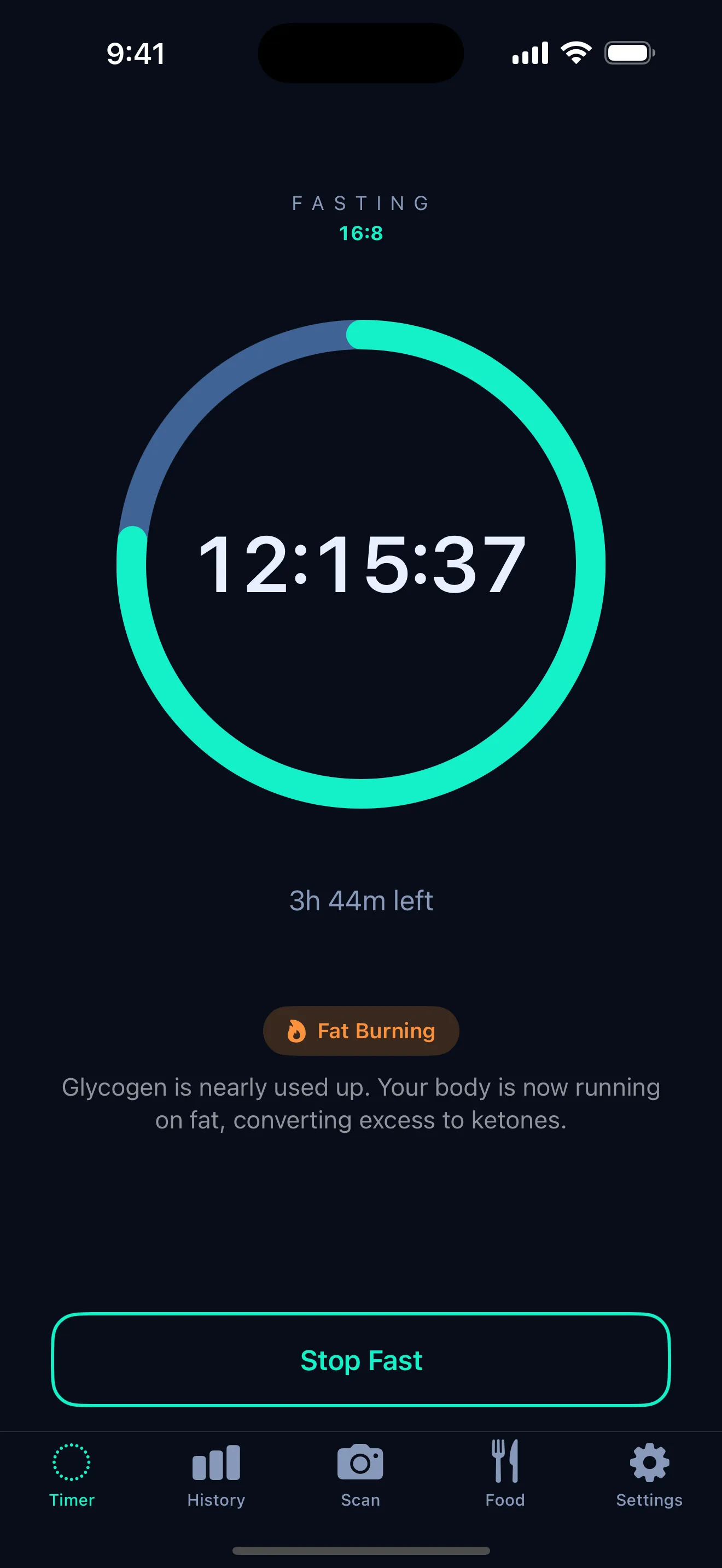
How ArcFast helps
- Start and end fasts with a single tap, and pick up where you left off.
- See time remaining at a glance on a clear timer ring.
- See fasting phase labels — fed, fat burning, and autophagy windows — as your fast progresses.
- Track history and streaks so you can see your pattern over time.
- Log a meal or scan a photo after a fast to estimate calories and macros.
The goal is context, not pressure: ArcFast shows where you are in a fast and lets you decide what to do with that information.
Supported fasting plans
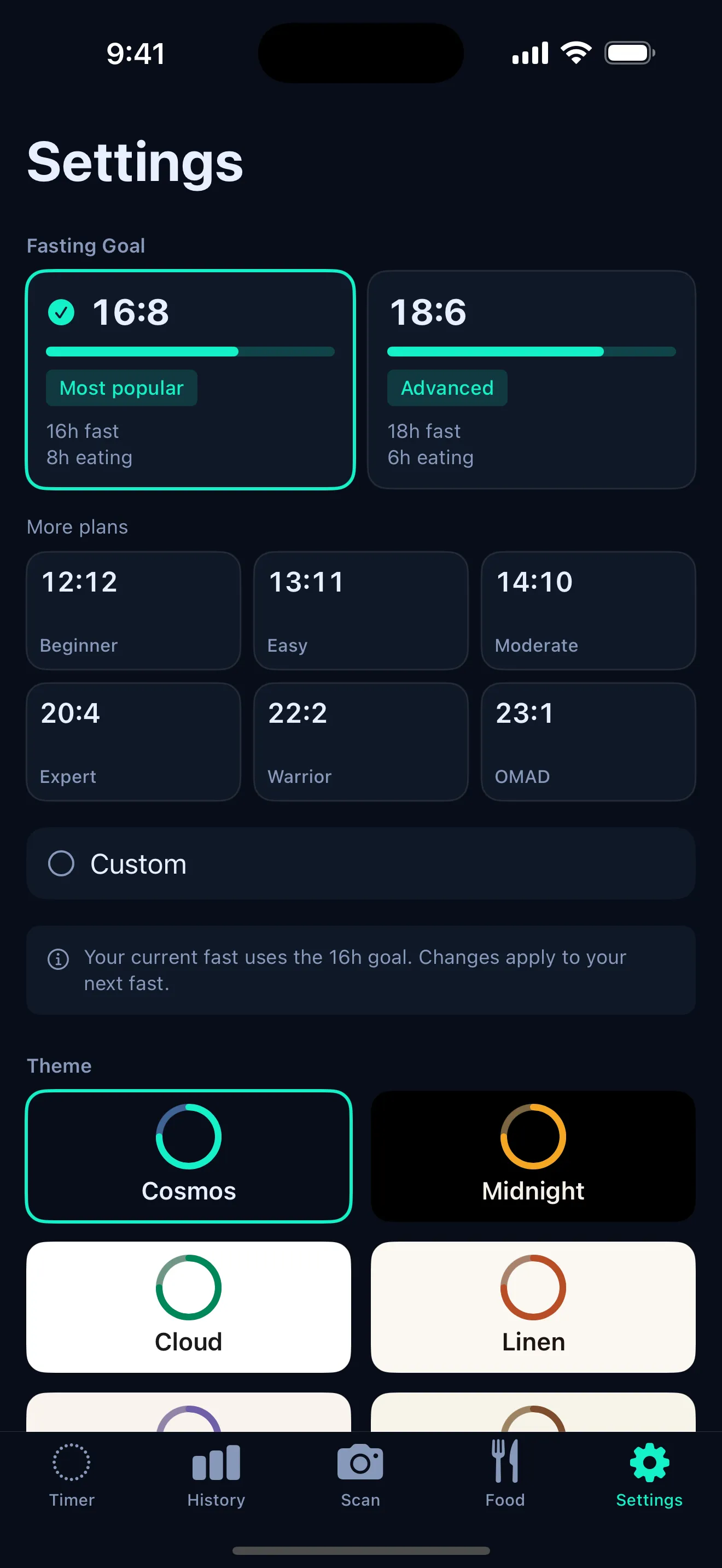
ArcFast includes preset windows from 12:12 through OMAD (one meal a day), plus a custom option so you can set your own fast and eating hours. Common choices include:
- 12:12 — a gentle starting point with a 12-hour fast.
- 16:8 — a 16-hour fast and 8-hour eating window. See the 16:8 fasting timer.
- OMAD — one meal a day, a longer and more restrictive window. See the OMAD tracker.
- Custom — set the exact hours that fit your routine.
Privacy-first fasting
ArcFast is built to stay out of your way. There is no account to create and no ads to sit through. Your fasts, streaks, and meals are stored locally on your iPhone — read more on the no-ads fasting app page.
ArcFast is a tracking tool, not medical advice. Talk to a healthcare professional before starting or changing a fasting routine, especially if you are pregnant, diabetic, under 18, managing an eating disorder, or under medical supervision.
Frequently asked questions
Is ArcFast free?
ArcFast is free to start and includes a simple fasting timer. Some advanced features, such as premium meal scanning or additional plans, may require a premium plan depending on the current app version.
Does ArcFast support 16:8?
Yes. 16:8 is one of the preset windows, and you can also build a custom window. ArcFast supports plans from 12:12 up to OMAD, plus custom.
Does ArcFast work without an account?
Yes. ArcFast does not require an account or sign-up. Your fasts, streaks, and meals are stored locally on your iPhone.
Is ArcFast medical advice?
No. ArcFast is a tracking tool, not medical advice. Talk to a qualified healthcare professional before starting or changing a fasting routine, especially if you have a medical condition, take medication, are pregnant, are under 18, or have a history of disordered eating.
Get ArcFast for iPhone
Start with the free fasting timer. Premium plans available.