OMAD Tracker for One Meal a Day Fasting
ArcFast is built for longer fasting windows and single-meal logging. Time your OMAD fast, watch the phase labels, keep a private history, and estimate the calories and macros in your one meal — all on your iPhone.
What is OMAD?
OMAD stands for One Meal A Day. You eat all of your day's food in a single sitting, usually inside a short window of about an hour, and fast for the rest of the day.
It is a longer and more restrictive pattern than common beginner plans like 16:8. That makes a clear timer and an honest look at your one meal more useful — and it makes easing in and checking your medical context more important.
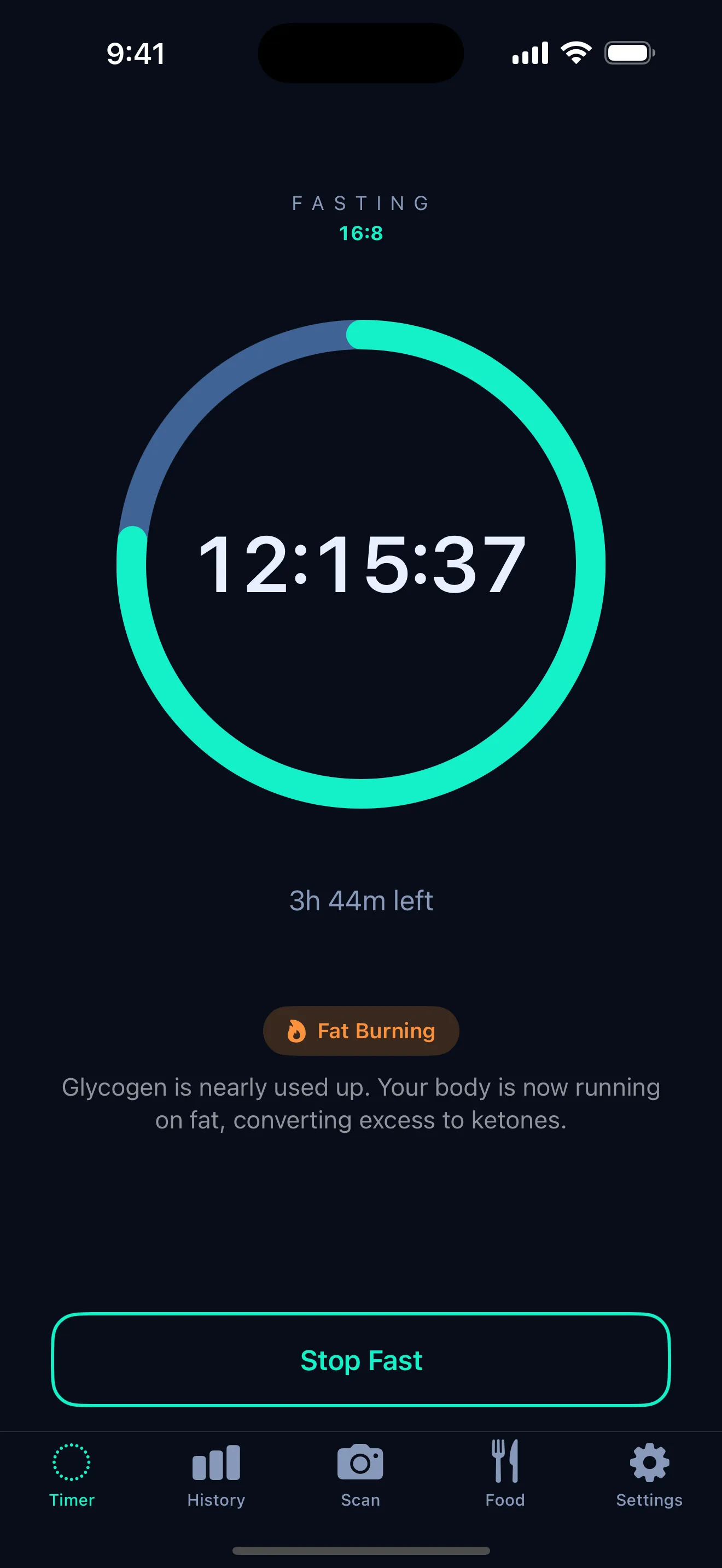
How ArcFast supports OMAD
- OMAD or custom plan — pick the preset or set your own long window.
- Long fast timer that counts down clearly across the day.
- Phase visibility so you can see where you are in the fast — see fasting phases explained.
- History and streaks stored privately on your phone.
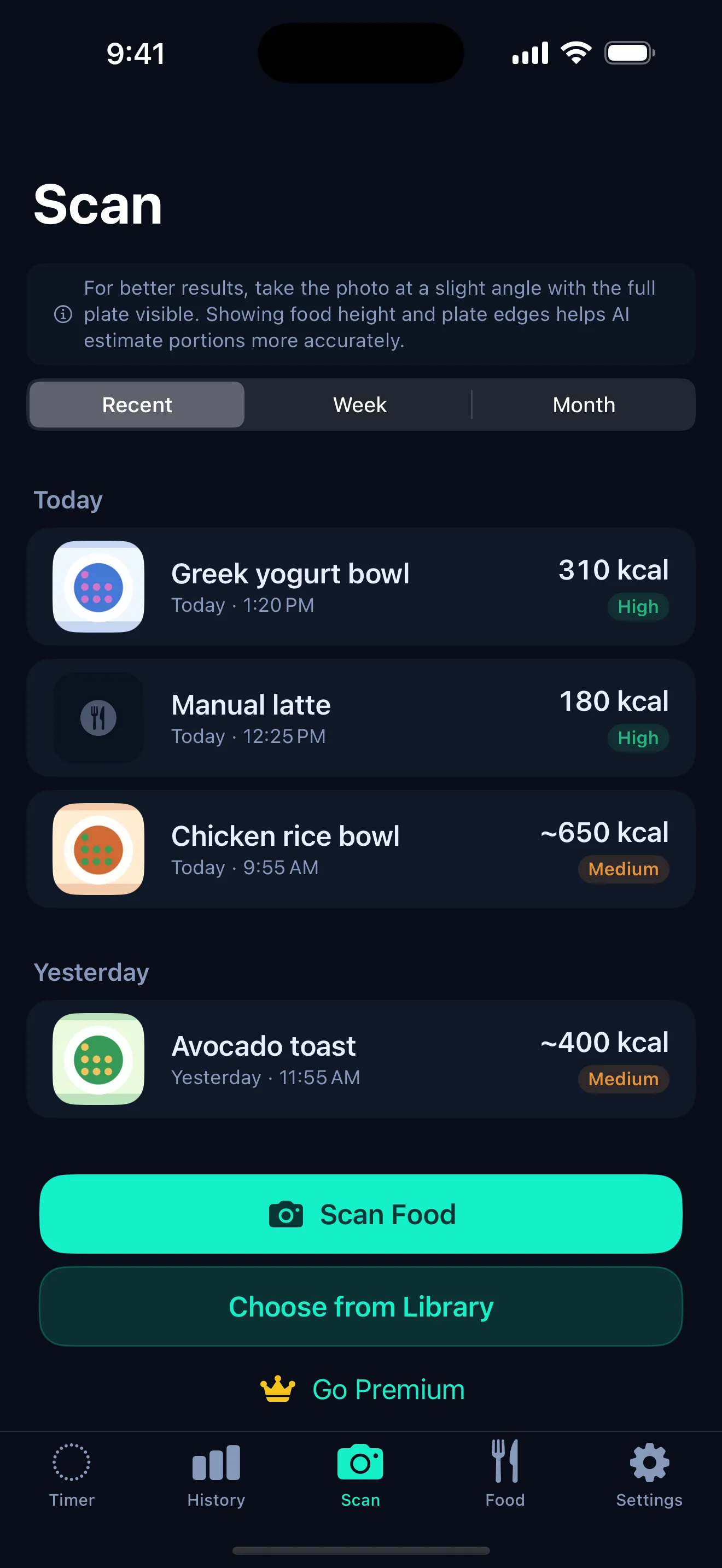
- Meal scan for a quick calorie and macro estimate of your one meal.
Why meal logging matters for OMAD
With only one meal a day, what is on the plate carries more weight. It can be surprisingly easy to under-eat protein or key nutrients, and one dense, mixed meal is hard to judge by eye.
Scanning the meal gives you a reference point to reflect on — not a diagnosis. Use the AI calorie scanner to estimate calories, protein, carbs, and fat, and treat the numbers as a starting point rather than a verdict.
Safety notes for OMAD
OMAD is not for everyone, and longer fasts are not automatically better. Extended restriction can be a poor fit for some people and unsafe for others.
Talk to a healthcare professional before trying OMAD, especially if you are pregnant, diabetic, under 18, taking medication, have a history of an eating disorder, or are under medical supervision.
ArcFast is a tracking tool, not medical advice. Fasting phases and calorie estimates are approximations, and your body may vary.
Frequently asked questions
Is OMAD good for beginners?
OMAD is one of the more restrictive fasting patterns, so it is usually not the first stop for beginners. Many people start with a gentler window like 16:8 and work up. If you are new to fasting, consider easing in and talking to a healthcare professional first.
Can ArcFast track OMAD?
Yes. ArcFast supports OMAD as a plan, along with a custom option, and times the long fasting window with phase labels and a private history of your fasts.
Can I scan my OMAD meal?
Yes. You can photograph your meal and ArcFast will estimate calories and protein, carbs, and fat. Estimates are approximate, not exact — see the AI calorie scanner page for how accuracy works.
Does ArcFast give medical advice?
No. ArcFast is a tracking tool, not medical advice. Talk to a qualified healthcare professional before starting or changing a fasting routine, especially if you have a medical condition, take medication, are pregnant, are under 18, or have a history of disordered eating.
Get ArcFast for iPhone
Start with the free fasting timer. Premium plans available.