AI Calorie Scanner for Meals and Macros
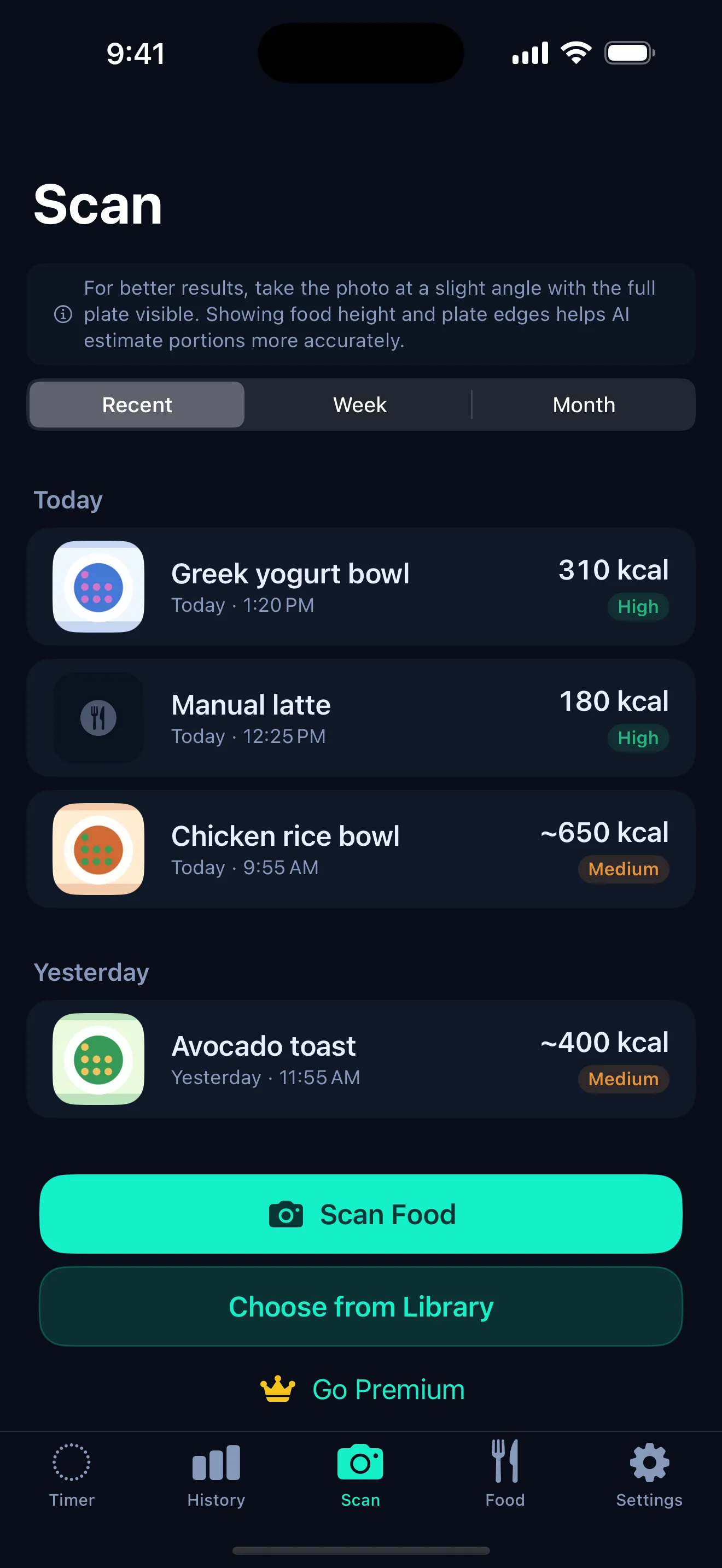
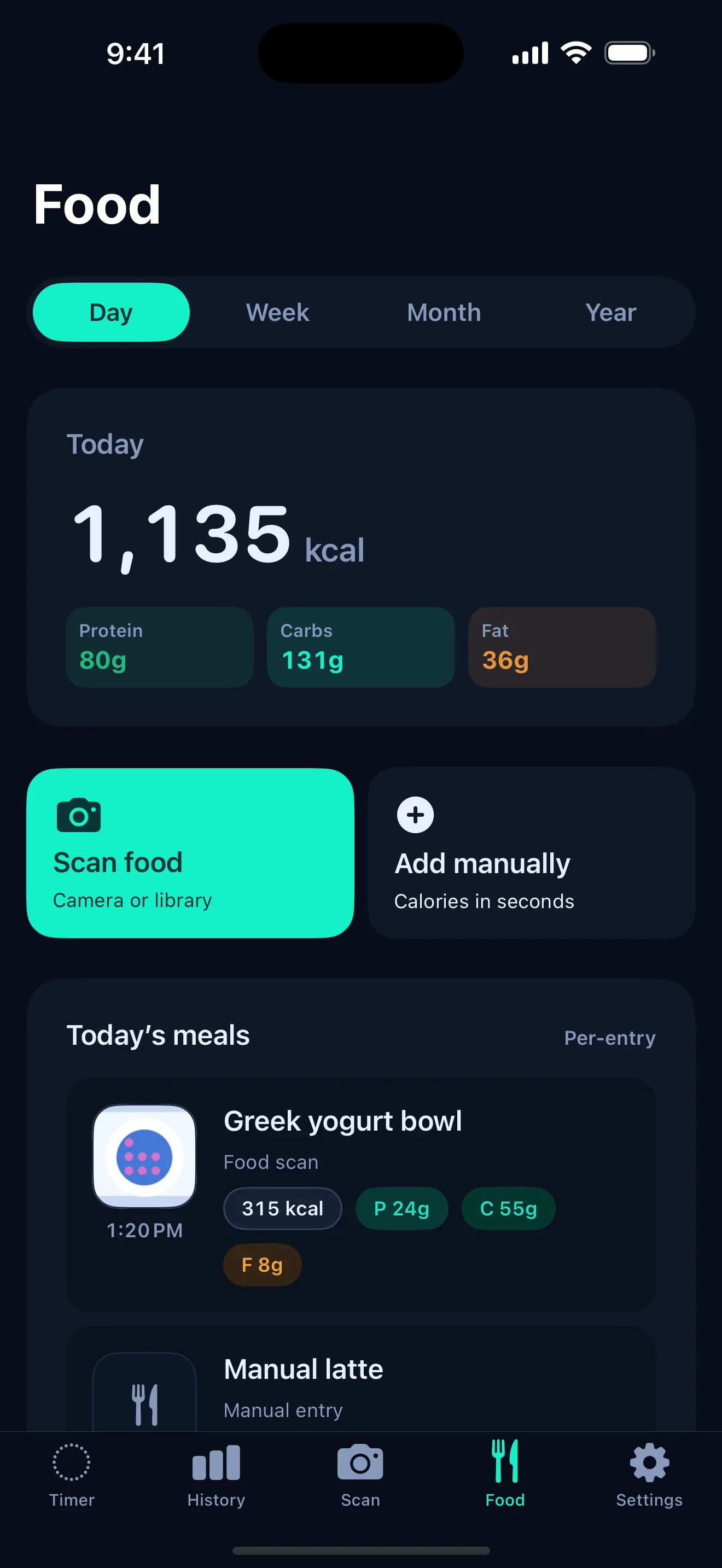
Take a photo of your meal and ArcFast estimates the calories and macros — protein, carbs, and fat. It is a fast, approximate food log for iPhone, built for people who fast and want a simple record of what they eat.
How the calorie scanner works
- Take or pick a photo of your meal from the camera or your library.
- Secure analysis — the image is analyzed by a secure API to identify the food.
- Estimates returned — you get calories plus a macro breakdown in a few seconds.
- Confidence framing — each estimate comes with a confidence tag so you know how sure it is.
- Manual entry — type the values yourself whenever you would rather be precise.
What ArcFast estimates
- Calories for the meal.
- Protein, carbs, and fat as a macro breakdown.
- A meal history so your logged meals build up over time.
Accuracy expectations
Photo-based estimates are useful, but they are not perfect — and it helps to know why before you lean on the numbers.
- Lighting and camera angle change how a dish reads.
- Portion size is hard to judge from a single photo.
- Sauces, oils, and hidden ingredients are easy to miss.
- Mixed or layered dishes are harder to estimate than simple ones.
Calorie and macro scans are estimates. Use nutrition labels or manual entry when exact numbers matter — for example, if you are managing a medical condition or following a prescribed plan.
Privacy
The scanner is designed to be private by default. Food photos are analyzed by a secure API and discarded immediately — they are not stored or used for training. Your meal history stays on your iPhone.
That fits the rest of the app: no account, no ads, and no analytics. See the no-ads fasting app page for the full picture.
Why combine fasting and food logging
Fasting answers when you eat. A food log helps you understand what you eat. Put together, they make your patterns easier to see: the length of your fasts on one side, the shape of your meals on the other.
That is why the scanner lives next to the timer in ArcFast — start with the intermittent fasting timer, then log the meal that ends your fast.
Frequently asked questions
Is the calorie scanner exact?
No calorie scanner can be exact from a photo. ArcFast gives estimates for calories and macros. Lighting, angle, portion size, sauces, and hidden ingredients can affect results. Use nutrition labels or manual entry when exact numbers matter.
Does ArcFast store my food photos?
Food photos are analyzed by a secure API and discarded immediately. They are not stored or used for training.
Can I edit the result?
Yes. When an estimate looks off, you can enter values manually instead of relying on the scan. Manual entry is the right choice whenever you need exact numbers.
Does it track macros?
Yes. Alongside calories, ArcFast estimates protein, carbs, and fat, and keeps them in your meal log so you can see the breakdown of what you ate.
Get ArcFast for iPhone
Start with the free fasting timer. Premium plans available.